For general contractors

Keep every project connected to the business behind it.

FREEDOM is an operations and project organization platform for general contractors. Bring projects, tasks, schedules, customers, and equipment into one operating record, so the field and office can work from the same context.

Start Free Trial

14-day free trial. Valid payment method required. $0 charged today. After the trial, $89/month includes up to 10 users. Additional users are $5/user/month. Renews monthly unless canceled. Cancel during the trial to avoid the first charge; access continues through the original trial end.

From the field to the office

Keep the work and its history together.

See what needs attention, open the project behind it, and keep the next step connected to the customer and schedule.

01 / Projects and tasks

Organize each job around real work.

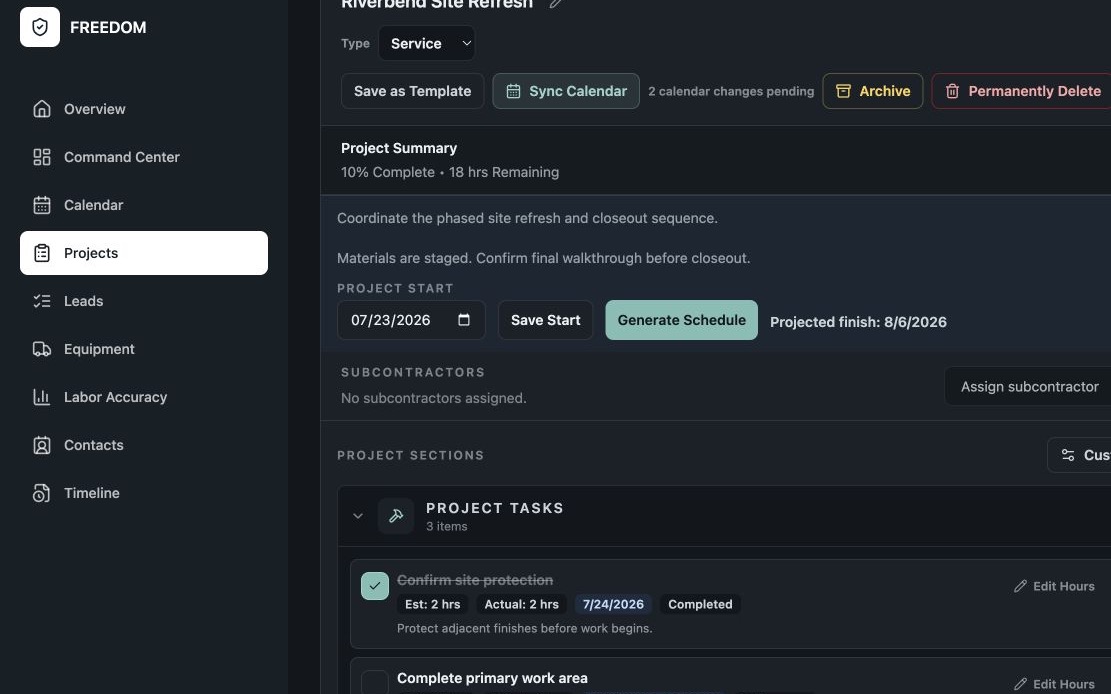
Keep project details, task sections, notes, schedules, and operational history together. Start a project from a blank record or an editable template, then organize the tasks and track their status as work progresses.

  • Project context and notes in one place
  • Task sections for the work ahead
  • Project timelines and planned dates
FREEDOM project record with notes, task sections, schedules, and planned and actual labor hours.

02 / Schedules and coordination

See upcoming work in context.

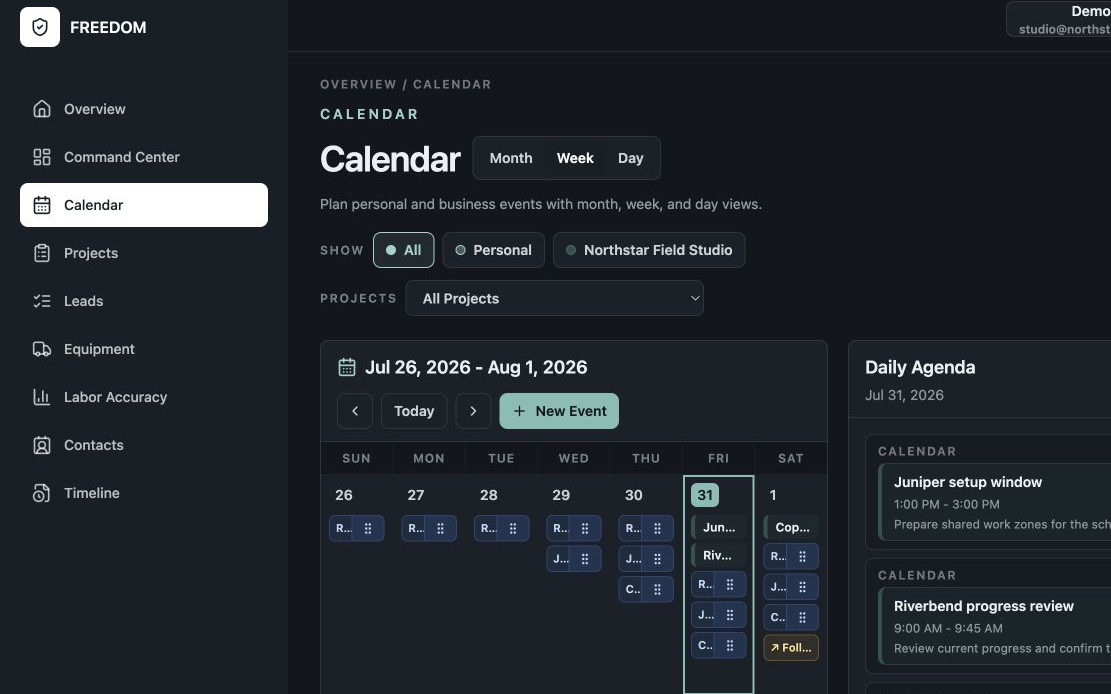
View project tasks, appointments, equipment reservations, and maintenance dates in the calendar. Keep subcontractor assignments and schedules with the project so project details and upcoming work stay connected between the field and office.

Use Calendar Synchronization for supported project timeline tasks, lead follow-ups, and customer activities with Apple Calendar, Google Calendar, Microsoft 365, or Outlook.com. Apple calendars require native access on a supported Apple device.

FREEDOM weekly calendar showing project tasks, appointments, maintenance, and a daily agenda.

03 / Customers and follow-ups

Keep the next conversation attached to the history.

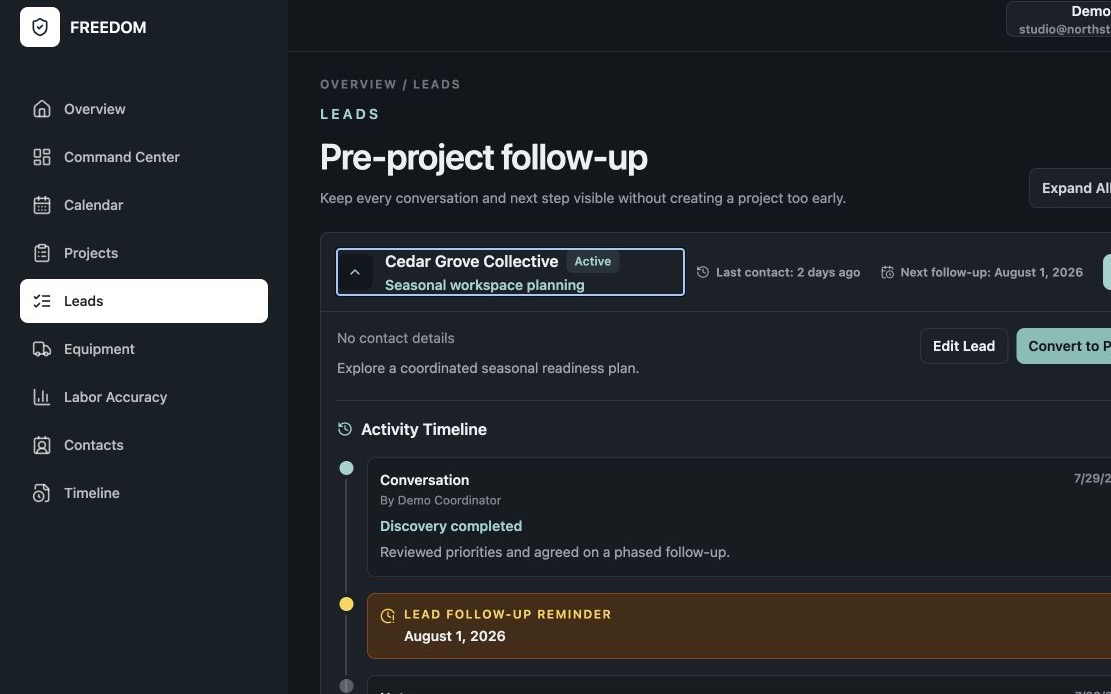
Organize customer information, lead follow-ups, scheduled activities, and conversation history. Convert a qualified lead into a project while preserving the context that led there.

Keep project notes and task status current so field observations and office follow-ups stay connected to the same work.

FREEDOM lead record showing customer context, follow-up history, and scheduled activities.

04 / Equipment

Know what is available and what needs attention.

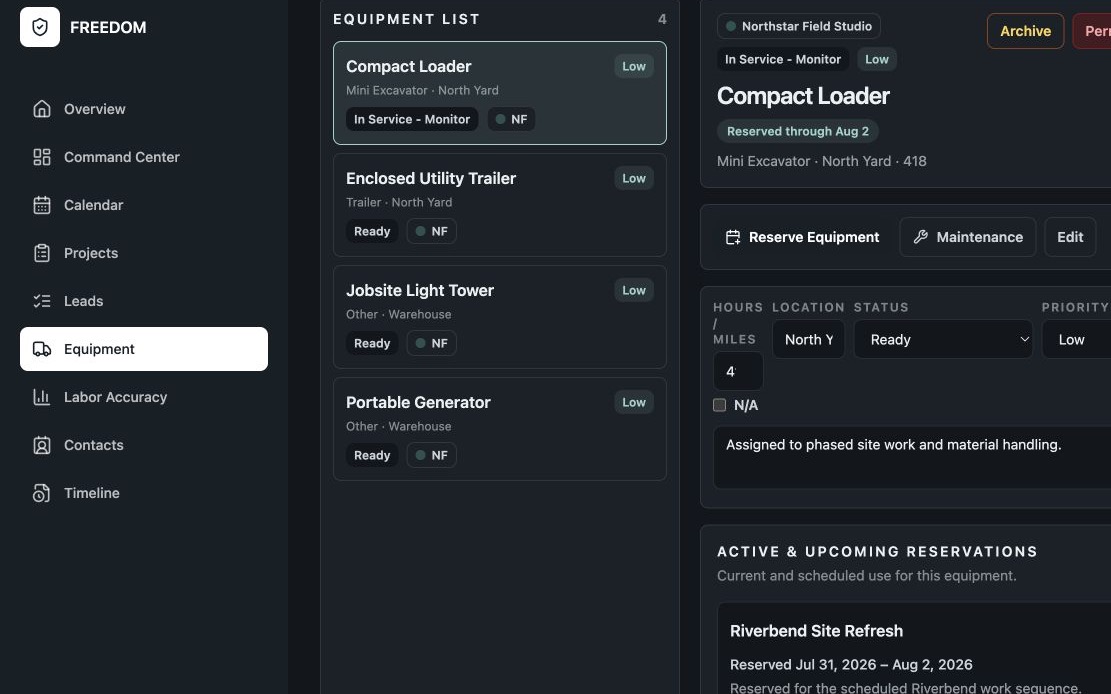
Track equipment details, availability, project reservations, inspections, maintenance, repairs, parts, and operational history alongside your projects.

FREEDOM equipment record showing reservation status and reserved dates.

05 / Daily business operations

Give the day a clear operating picture.

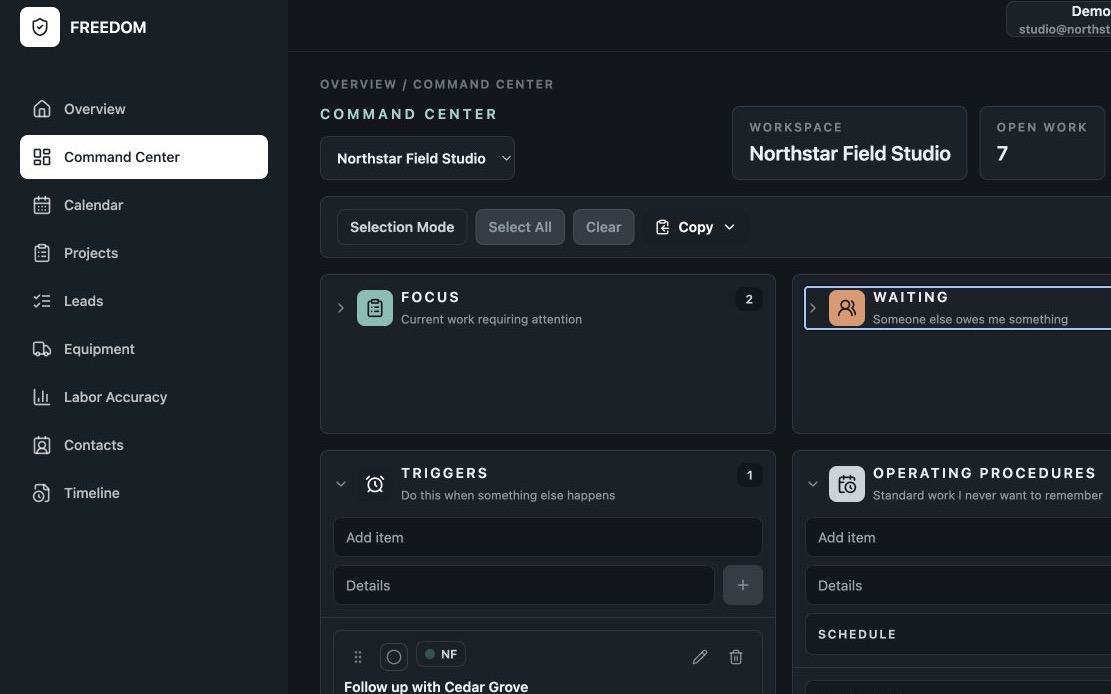
Use the Overview and Command Center to keep priorities, waiting items, upcoming work, and recent activity visible. Keep multiple business workspaces distinct when you operate more than one company.

FREEDOM Command Center organizing Focus, Waiting, Triggers, and Operating Procedures.

06 / Operational labor planning

Compare planned hours with actual hours.

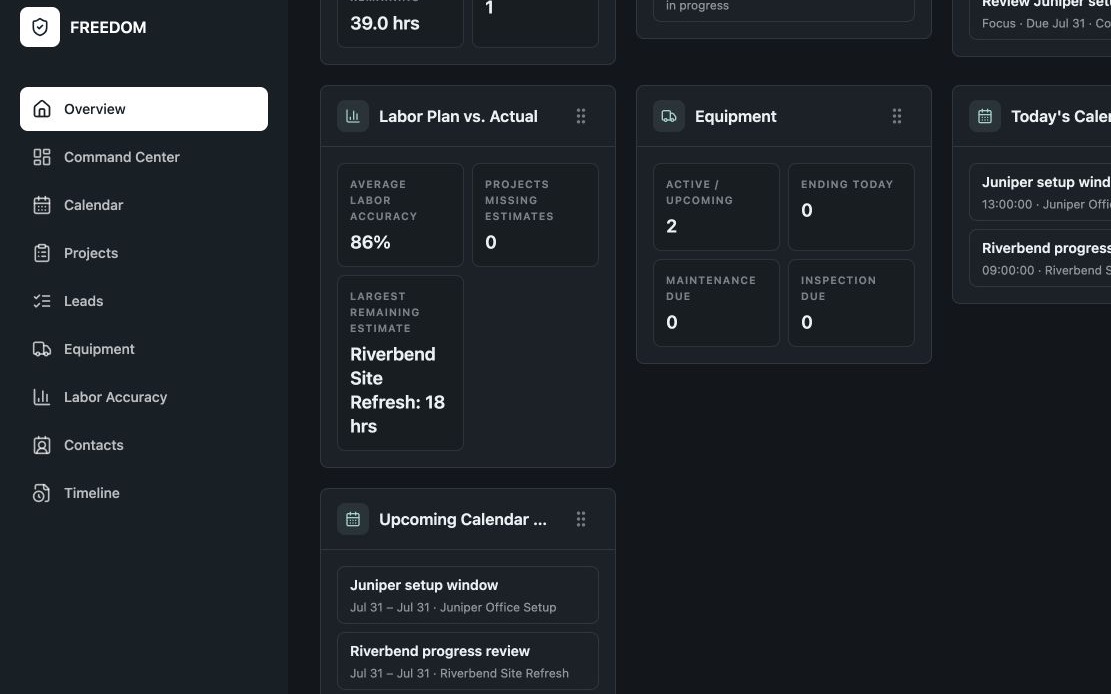
Record planned and actual labor hours to understand how work progressed and inform future operational planning.

Labor-hour tracking supports project organization. It does not calculate job costs or payroll.

FREEDOM labor-hours view showing operational labor accuracy and remaining planned hours.

A clear division of responsibility

Operations here. Financial work in your specialized tools.

FREEDOM organizes projects, tasks, schedules, customers, equipment, and business operations.

FREEDOM does not calculate estimates, proposals, bids, invoices, job costs, payroll, or accounting. Continue using your specialized estimating, accounting, invoicing, and payroll tools for that work.

Keep your financial records in those tools and your project context in FREEDOM.

Start with your active work

Build a clearer operating picture for your contracting business.

Try FREEDOM with the projects, customers, and schedules you need to organize today.

Start Free Trial

Open the Setup Guide or explore all product capabilities.