One connected operating record

See today clearly. Keep the history behind it.

Move from the owner’s daily priorities to the customer, project, schedule, equipment, and conversation behind them—without rebuilding the story across scattered tools. Windows and Android users can access FREEDOM through the web.

Start Free Trial

Multi-Business

Every business in one application. Every workspace kept distinct.

Manage multiple companies without mixing their projects, customers, schedules, or operating history. Switch businesses instantly, or use the all-business view when you need the whole picture.

  • One secure sign-in for multiple companies
  • Independent business data and operating context
  • Fast workspace switching without losing focus
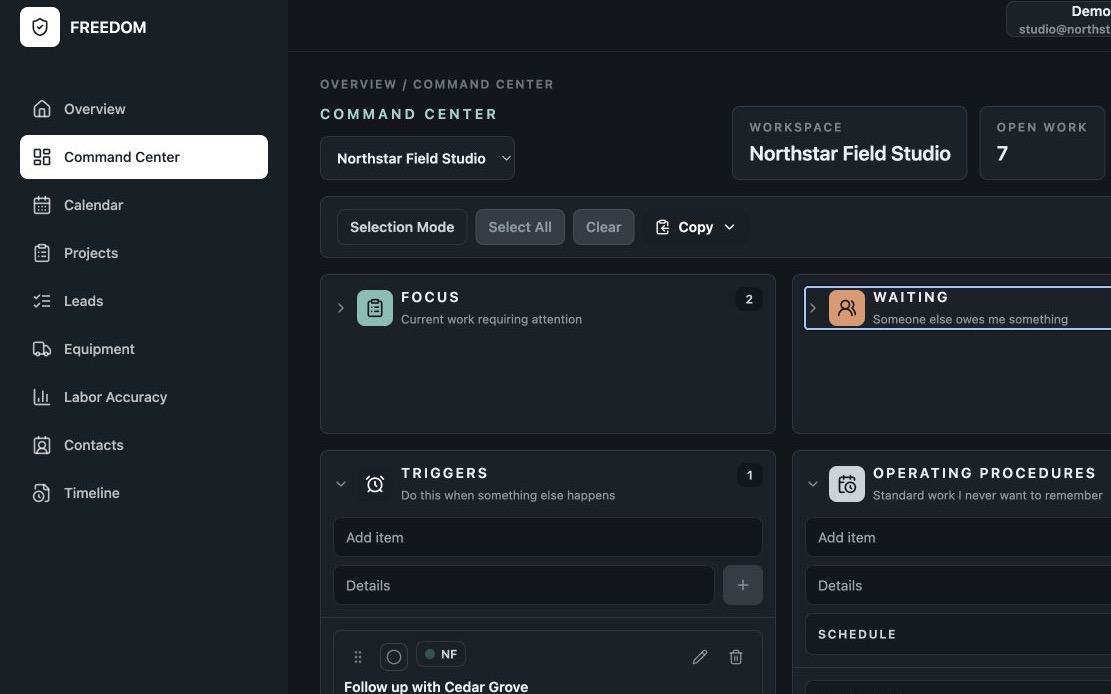
FREEDOM Command Center with a business workspace selector and operational work organized by stage.

Daily operations, together

One place to run the work.

FREEDOM connects the workflows that give an owner the full operating picture.

01 / Overview

Open the day with context.

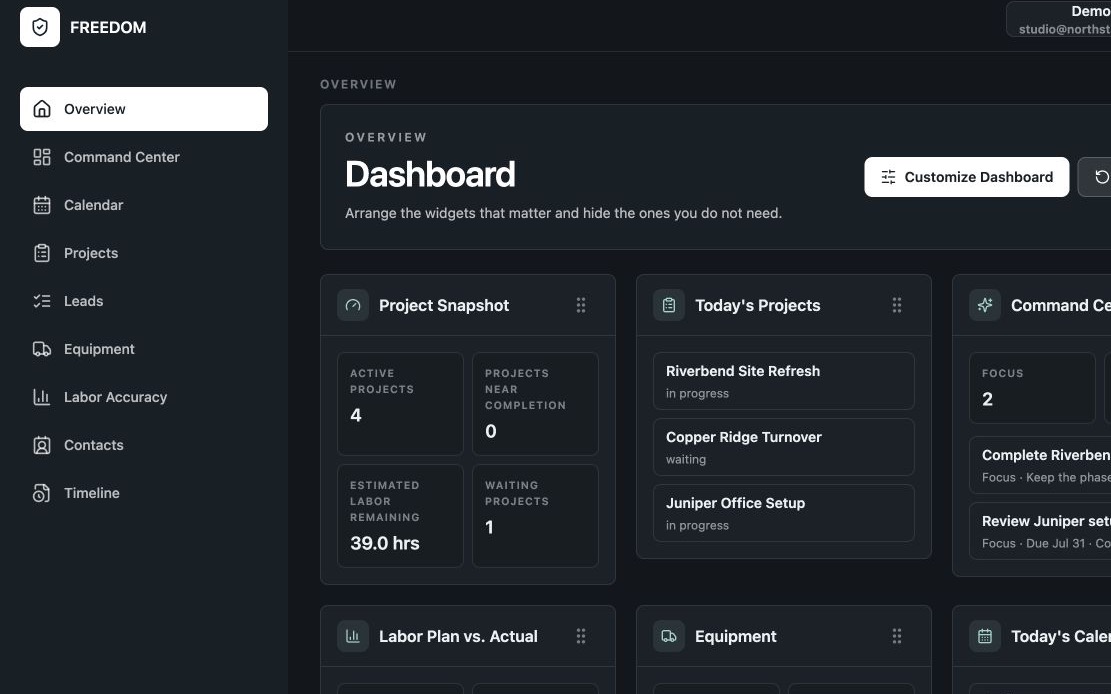
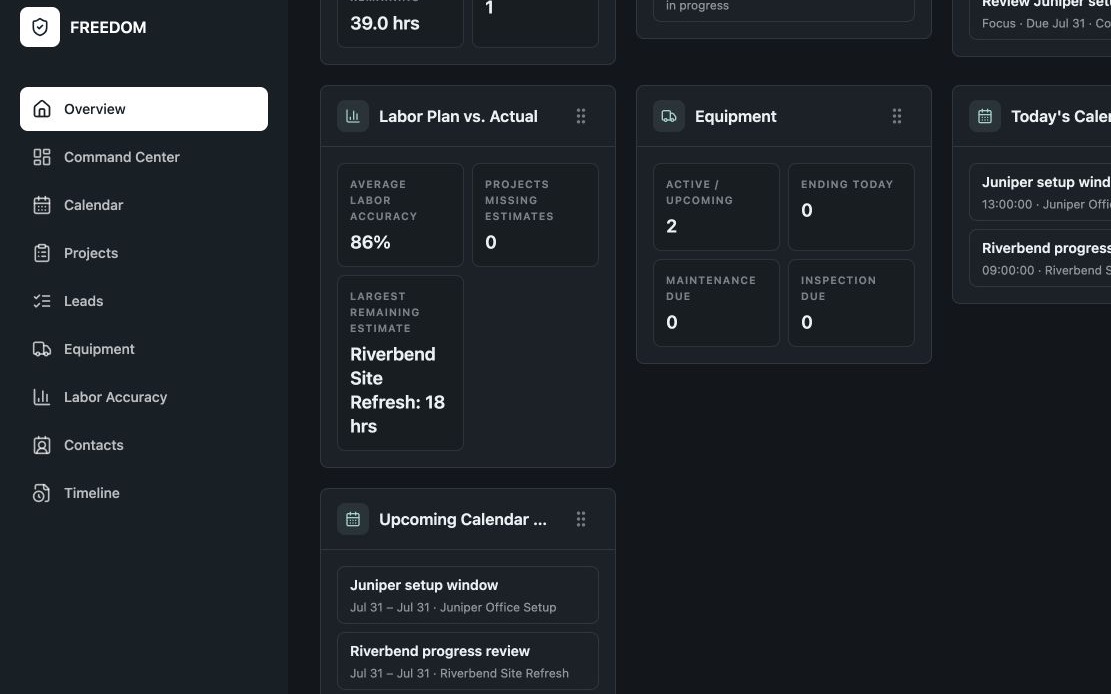
See current priorities, upcoming work, active leads, scheduled people and equipment, and recent activity in a customizable Overview.

  • Reorder and show the widgets that matter
  • Show or hide each Overview widget independently
  • Open the day with operational context
FREEDOM Dashboard with independently configurable project, equipment, Command Center, and labor widgets.

02 / Command Center

The owner’s daily operational dashboard.

Keep Focus, Waiting, Triggers, and Operating Procedures visible without turning the day into a wall of alerts. Work within one business or step back to the all-business view.

FREEDOM Command Center organizing priorities across Focus, Waiting, Triggers, and Operating Procedures.

03 / Projects

Keep the complete story with the work.

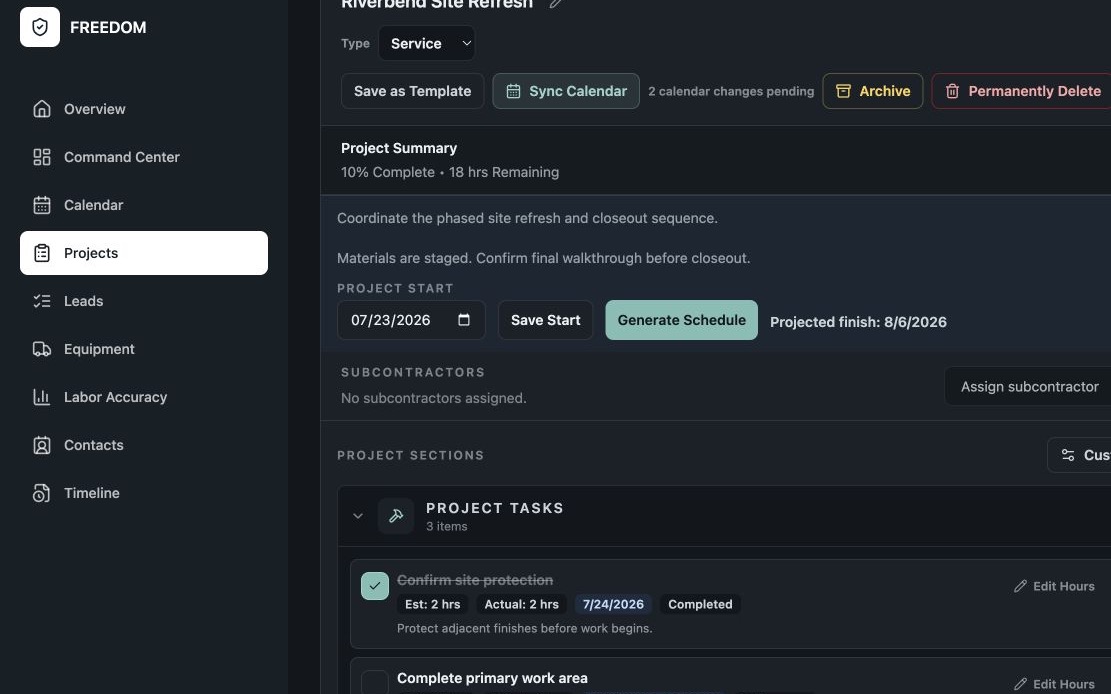
Keep project details, task sections, notes, planned and actual labor hours, subcontractor assignments, schedules, and operational history connected. Start blank or from an editable project template.

FREEDOM project record showing connected notes, schedule, task sections, and planned and actual labor hours.

04 / Leads & customer lifecycle

Keep the next conversation visible.

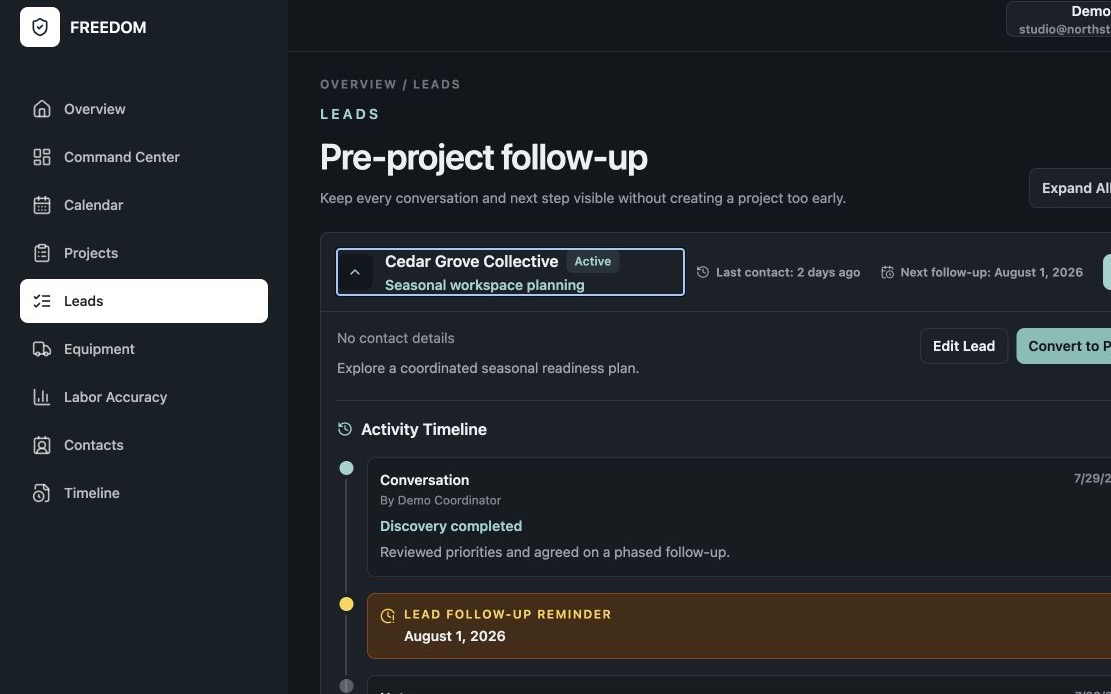
Track follow-ups, scheduled activities, conversation history, and customer context. On supported Apple devices, sync upcoming work to Apple Calendar. Convert a qualified lead into a project and preserve the history that led there.

FREEDOM lead record showing follow-up history, reminders, and conversation context.

05 / Calendar Synchronization

Keep scheduled work beside the rest of your day.

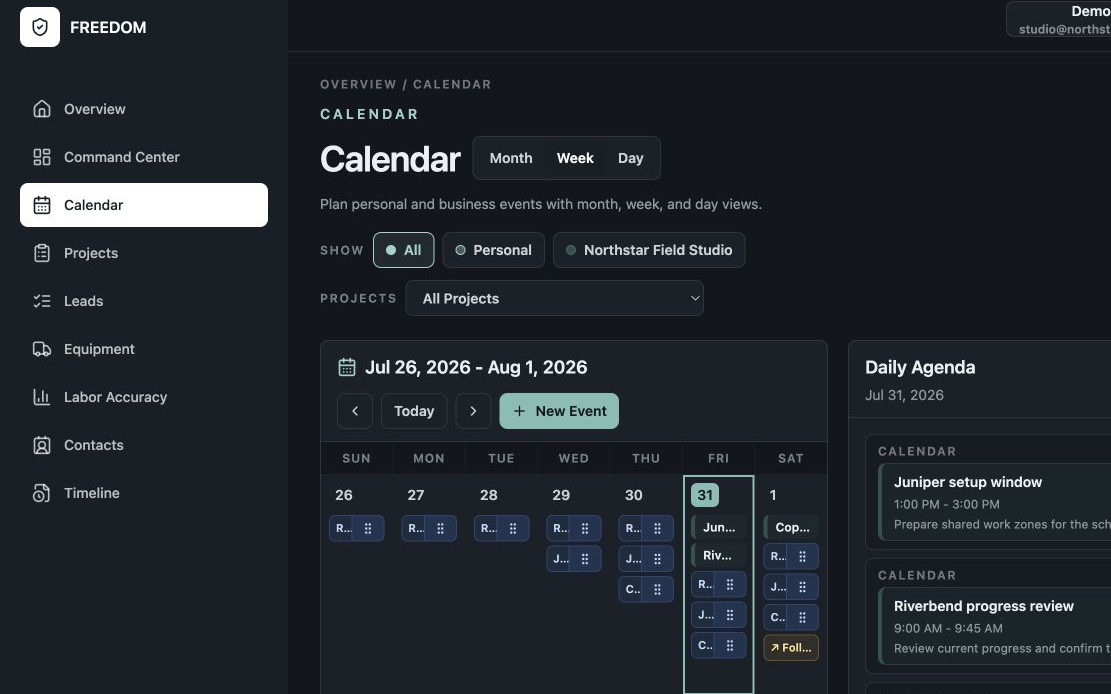
On supported Apple devices, sync project timeline tasks, lead follow-ups, and scheduled customer activities to a writable Apple Calendar while keeping FREEDOM as the operating record.

FREEDOM weekly calendar combining project tasks, appointments, and a daily agenda.

06 / Equipment

Know what you own, where it is, and what it needs.

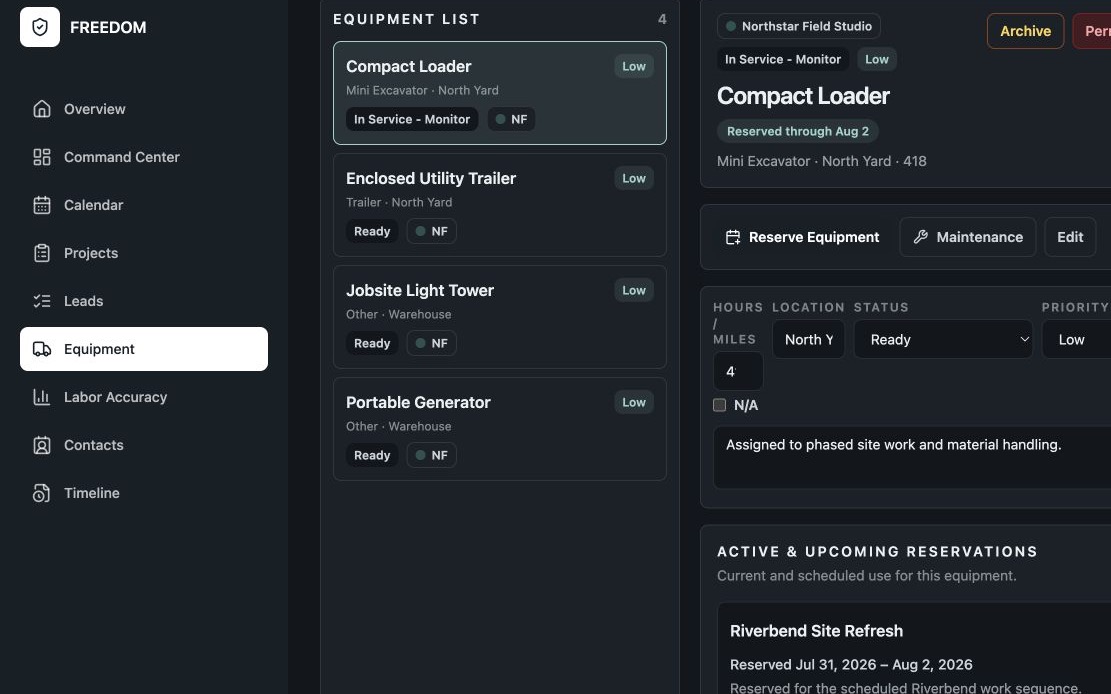
Track equipment details, availability, project reservations, inspections, maintenance, repairs, parts, and operational history.

FREEDOM Equipment Manager showing an asset's active reservation status and reserved dates.

07 / Labor hours

Labor Plan vs. Actual

Compare planned labor hours with actual labor hours so future planning is grounded in real performance.

Clear boundary: Labor-hour tracking is operational planning—not financial estimating, bidding, invoicing, payroll, or accounting.

FREEDOM Dashboard showing operational labor accuracy and remaining planned hours.

08 / Improvements

Your ideas go directly to the FREEDOM team.

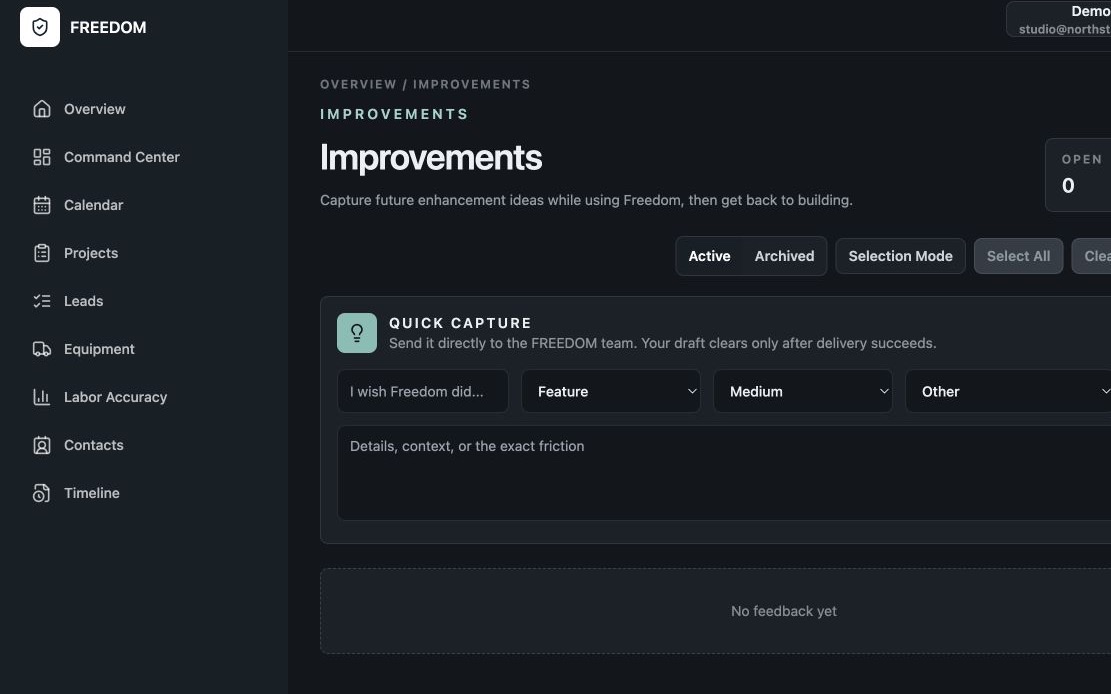
Capture a feature idea, workflow improvement, or friction point from inside FREEDOM. The submission is delivered directly to the development team, and the local draft clears only after delivery succeeds.

FREEDOM Improvements screen with a focused form for submitting product ideas.

A clear division of responsibility

One hub for operations. Specialized tools for specialized work.

FREEDOM manages projects, people, schedules, follow-ups, equipment, labor hours, and operational history.

Keep the accounting, bookkeeping, payroll, workforce management, employee scheduling, time tracking, and communication tools that already serve you well.

FREEDOM runs the business. Your specialized software continues doing what it does best.

Connected workflow

Tools that work alongside FREEDOM.

FREEDOM is the operational home. Keep using trusted tools for specialized work.

01

Calendar Synchronization

On supported Apple devices, keep scheduled FREEDOM work visible alongside the rest of your day.

02

Financial Systems

Continue using your preferred accounting, bookkeeping, payroll, and reporting tools.

03

Workforce & Communication

Keep the scheduling, time-tracking, messaging, email, and phone tools your people already know.

A practical first day

Start with a working system—not an empty screen.

The setup guide follows the application as it exists today, from securing your account to configuring modules and entering active work.

Open the Setup Guide